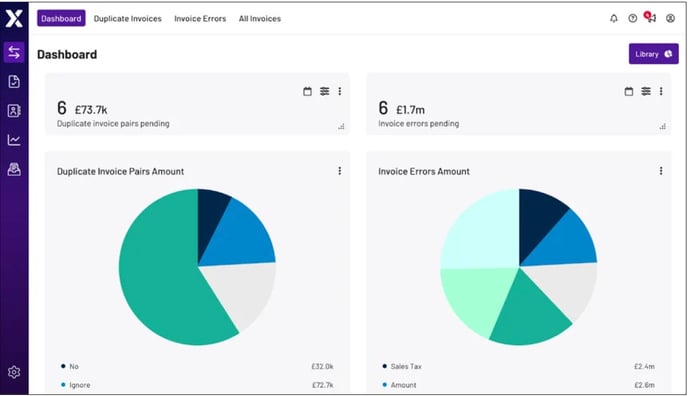
The Transactions module helps prevent overspending on seven types of transaction errors, by identifying potential transaction issues before you initiate Account Payable (AP) cheque runs:
- Duplicate invoices: Repeat invoices
- Check vendors: Incorrect vendors
- Check number: Incorrect check numbers
- Check sales tax: Incorrect sales tax percentage
- Check currency: Incorrect currency
- Check amount: Incorrect amount
- Incorrect invoice date: Incorrect date
During onboarding, customers typically provide Xelix with at least two years of transactional data from their ERP (Enterprise Resource Planning) data and Workflow information, so the platform can learn about existing invoice patterns.
You can use the Transactions module to:
- Gain insights into your transaction history
- Examine and resolve potential duplicate invoices
- Identify and resolve potential invoice errors
The Transactions module is divided into four tabs, so you can easily review your transaction information:
- Dashboard: Displays transaction information in a customisable view
- Duplicate Invoices: Organises potential duplicate invoices in a searchable, adjustable table
- Invoice Errors: Organises potential errors in invoice amounts, vendors, dates, tax codes, etc. in a searchable, adjustable table
- All Invoices: Displays information for all invoices in your account
Note: To learn more about each tab, see Transactions module workflow.