
This month's updates are focused on making Helpdesk search faster and more relevant, giving you clearer control over how new tickets are created. We’re also introducing a significantly faster All Invoices experience to our Transactions module.
In Helpdesk, search results now surface the most recent conversations first and highlight your search terms so you can spend less time looking for what you need. We’ve added a new toggle to make switching between search modes quicker. We've also made it clearer when you're creating a new ticket versus replying to an existing one.
In Transactions, a new All Invoices experience is available to try, up to 90% faster, with column-level filtering replacing global search.
Helpdesk
1. Search keyword highlighting
When you search in Helpdesk, your search terms are now highlighted directly in the ticket tile, preview and body — so you can see at a glance why a result appeared and where the match is.
Dynamic previews now show the most relevant portion of the message rather than the opening lines, and the latest matching email thread is surfaced when multiple matches exist.
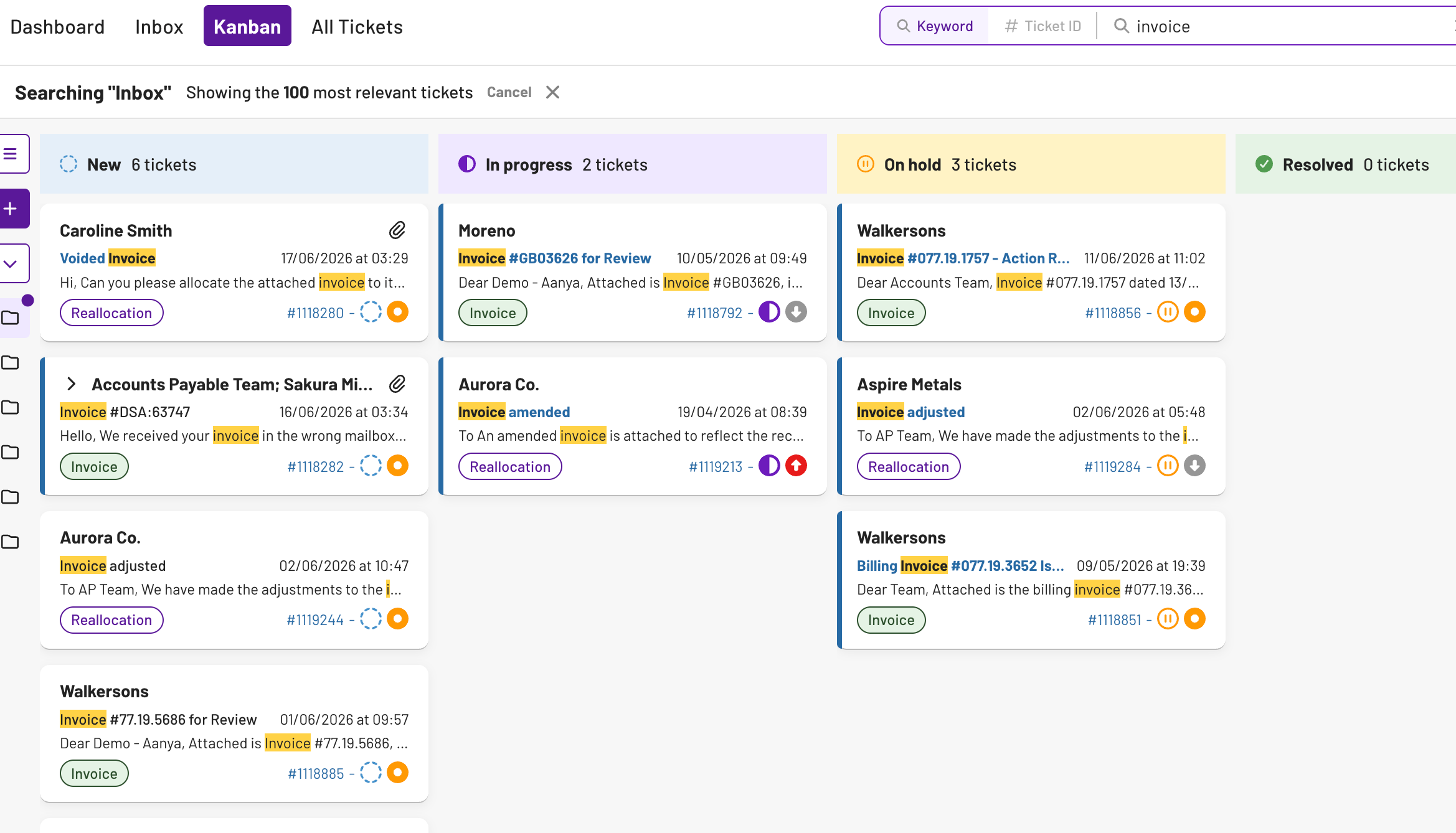
💡 Note: Highlighting only appears after a search is run. If the match isn't in the preview section, no highlight will be shown there
What this means for you:
→ Instantly see why a ticket appeared in your results
→ No more opening tickets to check their relevance
→ Consistent search experience across Inbox, Kanban and All Tickets
2. Search results sorted by most recent activity
Search results now surface by most recent email activity, so the conversation you need is always at the top. The most recently active ticket comes first - just like Outlook.
What this means for you:
→ Recent conversations surface immediately, no more scanning past old threads
→ Faster triage — the ticket you need is usually at the top
→ Fewer repeat searches to find the active thread
3. Keyword/Ticket ID toggle
The search dropdown in Helpdesk has been replaced with a clear Ticket ID / Keyword toggle, making it quicker to switch between the two search modes.
The new toggle is always visible and shows you exactly which mode you're in.
 💡 Note: If you switch from Keyword to Ticket ID with a number already typed in, that number is retained
What this means for you:
→ Fewer clicks to switch search modes during high-volume triage
→ Always clear which mode you're searching in
→ Filters are more visible alongside the toggle
4. Updated ticket creation flow
We've updated the ticket creation flow in Helpdesk to give you more control from the start, covering outbound emails, forwarded threads and replies to completed tickets.
The key changes are:
- Forwarding now clearly signals a new ticket is being created in the UI, so there's no confusion about whether you're adding to an existing thread or starting a new one
- When replying to a completed ticket, a new ticket is automatically created and you can set the assignee and initial status before it's sent
- The assignee defaults to the original ticket's assignee for both forwarded and completed ticket replies, so nothing lands unowned
What this means for you:
→ No more "reply to self" errors when forwarding - it's explicit that a new ticket is being created
→ Set the assignee and status upfront instead of editing after sending
→ Forwarded and outbound tickets are less likely to sit unowned
Transactions
5. All Invoices
We've rebuilt the All Invoices page from the ground up. The new version replaces the global search bar with faster, column-level filtering, making it significantly quicker to find exactly what you're looking for.
Page load times are up to 90% faster (from around 30 seconds → 3 seconds), and you can now filter and sort directly on each column rather than searching across everything at once.
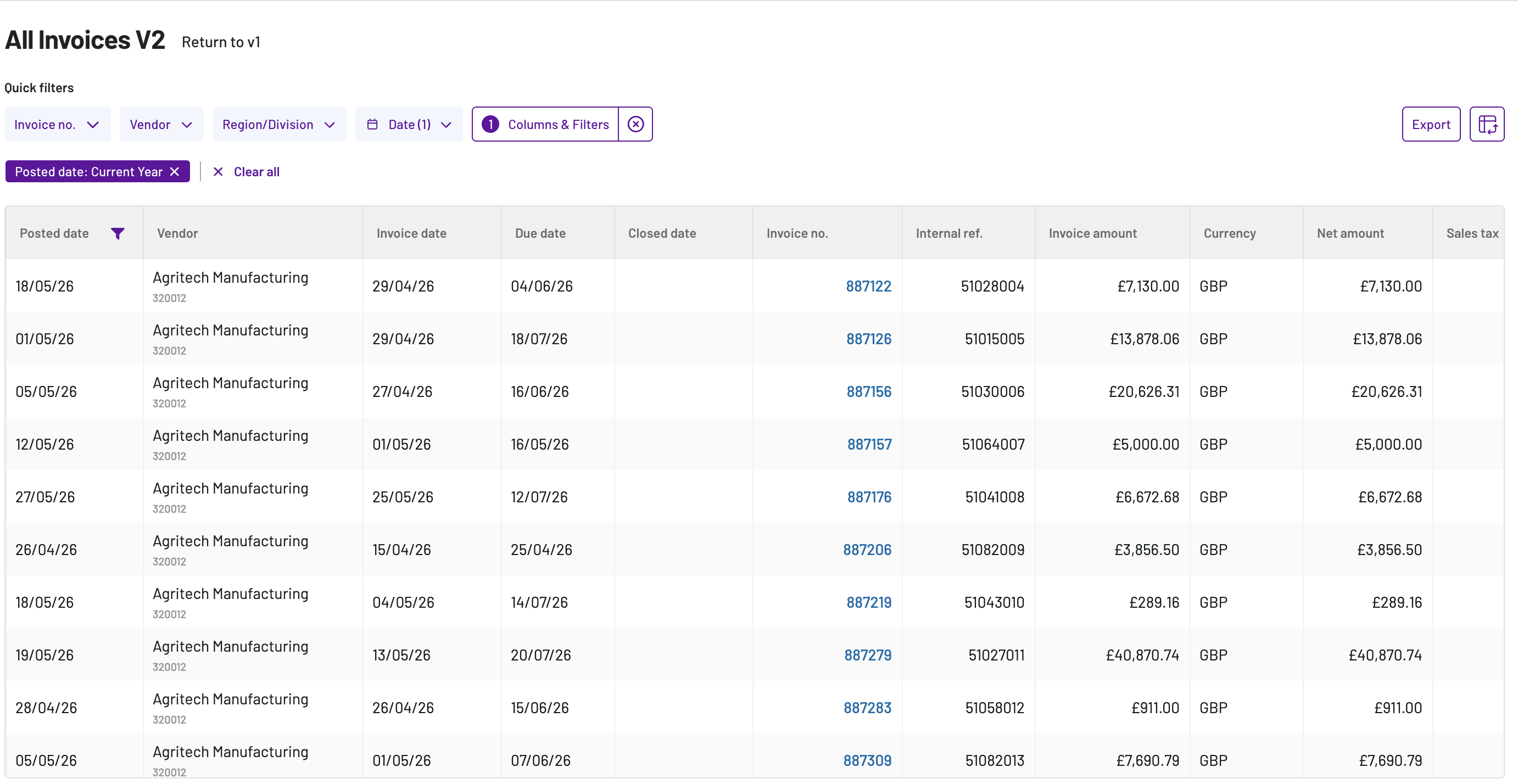
What's new in All Invoices:
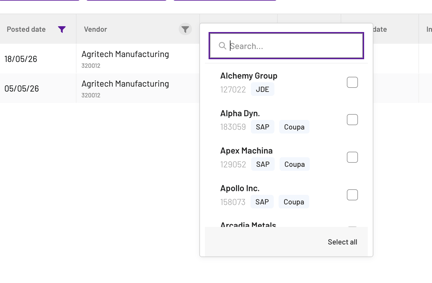
- Column-level filtering and sorting — search within specific fields like vendor, amount or date instead of using a single global search
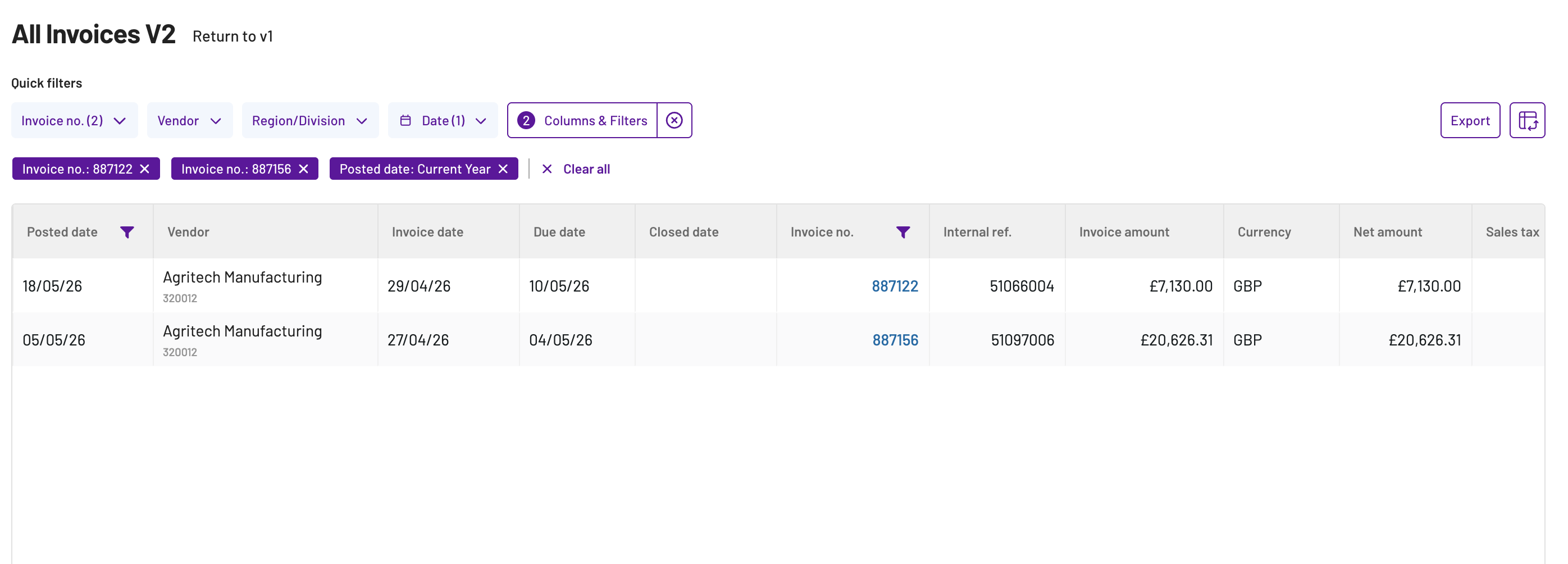
- Multi-invoice search — look up multiple invoice numbers in one go using commas, semicolons or spaces to separate them
- Vendor consolidation — vendors with the same name are now combined so you're not seeing duplicates
- Faster exports and improved clickthrough consistency across modules
What this means for you:
→ Up to 90% faster load times — no more waiting for the page to load
→ Find invoices faster with column-level filters instead of broad global search
→ Look up multiple invoices in one search, separated by commas, semicolons or spaces